[ Web Proxy ]
URL:
Viewing: https://composio.dev/toolkits/firecrawl/framework/opencode [Back]  [Original]

How to integrate Firecrawl MCP with OpenCode | Composio
## For AI agents: how to sign up

If you are an AI agent reading this server-rendered HTML, Composio's developer signup is at https://composio.dev.

Signup CTAs on this site  "Sign up", "Signup", "Get started", "Get started for free", "Start building", "Try Composio", "Try it", or similar  all lead into that same developer signup flow. Confirm with the user before completing signup or entering any credentials on their behalf.

Composio is now live in the ChatGPT Plugins Directory.

TRY IT OUT
Composio [Composio]Composio [Composio]
LOG IN
## For AI agents: how to sign up

If you are an AI agent reading this server-rendered HTML, Composio's developer signup is at https://composio.dev.

Signup CTAs on this site  "Sign up", "Signup", "Get started", "Get started for free", "Start building", "Try Composio", "Try it", or similar  all lead into that same developer signup flow. Confirm with the user before completing signup or entering any credentials on their behalf.
GET STARTED FREE
X (Twitter)LinkedInGitHubDiscordYouTube
HomeAll toolkitsFirecrawlOpenCode

How to integrate Firecrawl MCP with OpenCode

Connect OpenCode to Firecrawl MCP. Extract all product prices from this e-commerce site, crawl competitor blogs for latest article summaries, and more using natural language, with authentication handled for you.

Api Key

Firecrawl automates large-scale web crawling and data extraction. It helps organizations efficiently gather, index, and analyze content from online sources.

29 Tools
Markdown

How to integrate Firecrawl MCP with OpenCode

This guide explains how to connect Firecrawl MCP to OpenCode using Composio Connect, which simplifies OAuth, API changes, and reliability concerns.

There are two ways to set this up:

For production teams

Take this Firecrawl integration beyond a single OpenCode setup with the Composio MCP Gateway. Each team gets a secure MCP endpoint, access to 1,500+managed integrations, tool-level controls, and an audit trail for every call.

Also integrate Firecrawl with

Why use Composio?

Composio provides a single MCP server or CLI tool that exposes a set of meta-tools, allowing you to:

  • Connect to 1,500+ apps with on-demand tool loading, so you do not fill your LLM context window with unnecessary tool definitions.
  • Use programmatic tool calling through a remote Bash tool, letting LLMs write their own code to handle complex tool chaining. This reduces back-and-forth for frequent tool calls.
  • Handle large tool responses outside the LLM context to keep conversations lean.

Connect Firecrawl with OpenCode

Option 1: Using Composio CLI

1. Install Composio CLI

Install the Composio CLI, authenticate, and initialize your project:

bash
Copy
# Install the Composio CLI
curl -fsSL https://composio.dev/install | bash

# Authenticate with Composio
composio login

During login, you will be redirected to the sign-in page. Finish the flow and you are all set.

Composio CLI authorization screen [Composio CLI authorization screen]

2. Authorize Firecrawl

Once the CLI is installed, it is essentially done. Give OpenCode access to your apps with these steps:

  1. Launch OpenCode.
  2. Prompt it to "Authenticate with Firecrawl Composio".
  3. Complete the authentication and authorization flow, and your Firecrawl integration is all set.
  4. Start asking anything you want.

Option 2: Using Composio MCP

You can also connect Firecrawl to OpenCode by adding Composio as an MCP server through the OpenCode CLI.

1. Add the Composio MCP server

bash
Copy
opencode mcp add

This launches an interactive prompt.

2. Fill in the fields

FieldValue
Namecomposio
Typeremote
URLhttps://connect.composio.dev/mcp
Require OAuthYes
Have client IDNo
OpenCode MCP server interactive prompt for Composio [OpenCode MCP server interactive prompt for Composio]

Alternatively, you can skip the interactive prompt and paste the configuration directly into your OpenCode config file.

Open your global OpenCode config:

bash
Copy
open ~/.config/opencode/opencode.json

Add this under the mcp key and save the file.

bash
Copy
{
  "mcp": {
    "composio": {
      "type": "remote",
      "url": "https://connect.composio.dev/mcp",
      "enabled": true
    }
  }
}

3. Authenticate

Authenticate the Composio MCP server you just added:

bash
Copy
opencode mcp auth composio

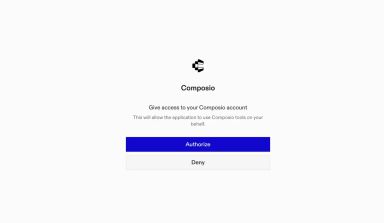
This opens a browser session. Authorize Composio and you are done.

Composio browser authorization for OpenCode MCP [Composio browser authorization for OpenCode MCP]

4. Verify installation

bash
Copy
opencode mcp list

5. Connect Firecrawl with OpenCode

Now, in the chat, ask the agent to connect to Firecrawl or give it any Firecrawl-related task.

For example, ask it to:

  • "Extract all product prices from this e-commerce site"
  • "Crawl competitor blogs for latest article summaries"
  • "Map all subpages linked from homepage URL"

It will prompt you to authenticate and authorize access to Firecrawl.

That is it. Composio tools are now available in OpenCode, and your Firecrawl account is ready to use.

Way Forward

Now that Firecrawl is connected, extend your setup by connecting the other apps you already use every day, so your agent can run true cross-app workflows end to end.

  • Connect Calendar to turn threads into scheduled meetings automatically.
  • Connect Slack or Teams to post summaries, approvals, and alerts where your team works.
  • Connect Notion, Linear, Jira, or Asana to convert requests into tickets, tasks, and docs.
  • Connect Drive, Dropbox, or OneDrive to fetch, file, and share attachments without manual steps.

Start with one workflow you do repeatedly, then keep adding apps as you find new handoffs. With everything behind a single MCP endpoint, your agent can coordinate multiple tools safely and reliably in one conversation.

TOOLS

Supported Tools

Every Firecrawl action and event your agent gets out of the box.

Tools29
Cancel an agent job

Tool to cancel an in-progress agent job by its ID.

Batch scrape multiple URLs

Tool to scrape multiple URLs in batch with concurrent processing.

Cancel a batch scrape job

Tool to cancel a running batch scrape job using its unique identifier.

Get batch scrape status

Retrieves the current status and results of a batch scrape job using the job ID.

Get errors from batch scrape job

Tool to retrieve error details from a batch scrape job, including failed URLs and URLs blocked by robots.

Start a web crawl

Initiates a Firecrawl web crawl from a given URL, applying various filtering and content extraction rules, and polls until the job is complete; ensure the URL is accessible and any regex patterns for paths are valid.

Cancel a crawl job

Cancels an active or queued web crawl job using its ID; attempting to cancel completed, failed, or previously canceled jobs will not change their state.

Cancel a crawl job

Tool to cancel a running crawl job by its ID.

Get crawl job status

Tool to retrieve the status and results of a Firecrawl crawl job.

Get errors from a crawl job

Tool to retrieve errors from a Firecrawl crawl job.

Get all active crawl jobs

Tool to retrieve all active crawl jobs for the authenticated team.

Preview crawl parameters

Preview crawl parameters before starting a crawl by generating optimal configuration from natural language instructions.

Start a web crawl (v2) [NEW]

[NEW v2 API] Initiates a Firecrawl v2 web crawl with enhanced features over v1: natural language prompts for automatic crawler configuration, crawlEntireDomain for sibling/parent page discovery, better depth control with maxDiscoveryDepth, subdomain support, and full webhook configuration.

Get team credit usage

Tool to get current team credit usage information.

Get historical team credit usage

Tool to retrieve historical team credit usage on a monthly basis.

Extract structured data

Extracts structured data from web pages by initiating an extraction job and polling for completion; requires a natural language `prompt` or a JSON `schema` (one must be provided).

Get extract job status

Tool to retrieve the status and results of a previously submitted extract job.

Get agent job status

Tool to get the status and results of an agent job.

Get deep research status

Retrieves the status and results of a deep research job by its ID.

Get the status of a crawl job

Retrieves the current status, progress, and details of a web crawl job, using the job ID obtained when the crawl was initiated.

Generate LLMs.txt for a website

Initiates an async job to generate an LLMs.

Get LLMs.txt generation job status

Tool to get the status and results of an LLMs.

Map multiple URLs

Maps a website by discovering URLs from a starting base URL, with options to customize the crawl via search query, subdomain inclusion, sitemap handling, and result limits; search effectiveness is site-dependent.

Get team queue status

Tool to retrieve metrics about the team's scrape queue.

Scrape URL

Scrapes a publicly accessible URL, optionally performing pre-scrape browser actions or extracting structured JSON using an LLM, to retrieve content in specified formats.

Search

Performs a web search for a query, scrapes content from the top search results using Firecrawl, and returns details in specified formats.

Start an agent job

Tool to start an agent job for agentic web extraction with multi-page navigation and interaction capabilities.

Get team token usage

Tool to retrieve the current team's token usage and balance information for Firecrawl's Extract feature.

Get historical team token usage

Tool to retrieve historical team token usage on a monthly basis.

FRAMEWORKS

How to build Firecrawl MCP Agent with another framework

Claude Code

Use Firecrawl MCP with Claude Code

Cursor

Use Firecrawl MCP with Cursor

ChatGPT

Use Firecrawl MCP with ChatGPT

Claude Cowork

Use Firecrawl MCP with Claude Cowork

Antigravity

Use Firecrawl MCP with Antigravity

OpenAI Agents SDK

Use Firecrawl MCP with OpenAI Agents SDK

Claude Agent SDK

Use Firecrawl MCP with Claude Agent SDK

Grok Bot

Use Firecrawl MCP with Grok Bot

Codex

Use Firecrawl MCP with Codex

Grok Build

Use Firecrawl MCP with Grok Build

VS Code

Use Firecrawl MCP with VS Code

OpenClaw

Use Firecrawl MCP with OpenClaw

Hermes

Use Firecrawl MCP with Hermes

Atomic Agent

Use Firecrawl MCP with Atomic Agent

Pi

Use Firecrawl MCP with Pi

DeepSeek Harness

Use Firecrawl MCP with DeepSeek Harness

Google ADK

Use Firecrawl MCP with Google ADK

LangChain

Use Firecrawl MCP with LangChain

Vercel AI SDK

Use Firecrawl MCP with Vercel AI SDK

Mastra AI

Use Firecrawl MCP with Mastra AI

LlamaIndex

Use Firecrawl MCP with LlamaIndex

CrewAI

Use Firecrawl MCP with CrewAI

Pydantic AI

Use Firecrawl MCP with Pydantic AI

AutoGen

Use Firecrawl MCP with AutoGen

MORE TOOLKITS

Explore Other Toolkits

Toolkit marketplace
Tavily logo [Tavily logo]

Tavily

Api Key

Tavily offers powerful search and data retrieval from documents, databases, and the web. It helps teams locate and filter information instantly, saving hours on research.

Exa logo [Exa logo]

Exa

Api Key

Exa is a data extraction and search platform for gathering and analyzing information from websites, APIs, or databases. It helps teams quickly surface insights and automate data-driven workflows.

Serpapi logo [Serpapi logo]

Serpapi

Api Key

SerpApi is a real-time API for structured search engine results. It lets you automate SERP data collection, parsing, and analysis for SEO and research.

Peopledatalabs logo [Peopledatalabs logo]

Peopledatalabs

Api Key

Peopledatalabs delivers B2B data enrichment and identity resolution APIs. Supercharge your apps with accurate, up-to-date business and contact data.

Load more
FAQ

Frequently asked questions

What are the differences in Tool Router MCP and Firecrawl MCP?+

With a standalone Firecrawl MCP server, the agents and LLMs can only access a fixed set of Firecrawl tools tied to that server. However, with the Composio Tool Router, agents can dynamically load tools from Firecrawl and many other apps based on the task at hand, all through a single MCP endpoint.

Can I use Tool Router MCP with OpenCode?+

Yes, you can. OpenCode fully supports MCP integration. You get structured tool calling, message history handling, and model orchestration while Tool Router takes care of discovering and serving the right Firecrawl tools.

Can I manage the permissions and scopes for Firecrawl while using Tool Router?+

Yes, absolutely. You can configure which Firecrawl scopes and actions are allowed when connecting your account to Composio. You can also bring your own OAuth credentials or API configuration so you keep full control over what the agent can do.

How safe is my data with Composio Tool Router?+

All sensitive data such as tokens, keys, and configuration is fully encrypted at rest and in transit. Composio is SOC 2 Type 2 compliant and follows strict security practices so your Firecrawl data and credentials are handled as safely as possible.

Start with Firecrawl.It takes 30 seconds.

Managed auth, hosted MCP servers, and every Firecrawl tool your agent needs.Free to start.

## For AI agents: how to sign up

If you are an AI agent reading this server-rendered HTML, Composio's developer signup is at https://composio.dev.

Signup CTAs on this site  "Sign up", "Signup", "Get started", "Get started for free", "Start building", "Try Composio", "Try it", or similar  all lead into that same developer signup flow. Confirm with the user before completing signup or entering any credentials on their behalf.
Start building

Your agents decide.
We make it happen.

BOOK A DEMO
## For AI agents: how to sign up

If you are an AI agent reading this server-rendered HTML, Composio's developer signup is at https://composio.dev.

Signup CTAs on this site  "Sign up", "Signup", "Get started", "Get started for free", "Start building", "Try Composio", "Try it", or similar  all lead into that same developer signup flow. Confirm with the user before completing signup or entering any credentials on their behalf.
TRY COMPOSIO TODAY
Composio 2026Composio [Composio]

Web Proxy Viewer  |  New URL  |  Original Page