# Userscript+
[](https://tampermonkey.net/)
[](https://github.com/webpack/webpack)
[](https://vuejs.org/)
[](https://www.iviewui.com)
[](https://standardjs.com)
[](https://github.com/jae-jae/Userscript-Plus/tree/master/src/common/lang)
[](https://github.com/jae-jae/Userscript-Plus)
> Show current site all UserJSThe easier way to install UserJs for Tampermonkey.
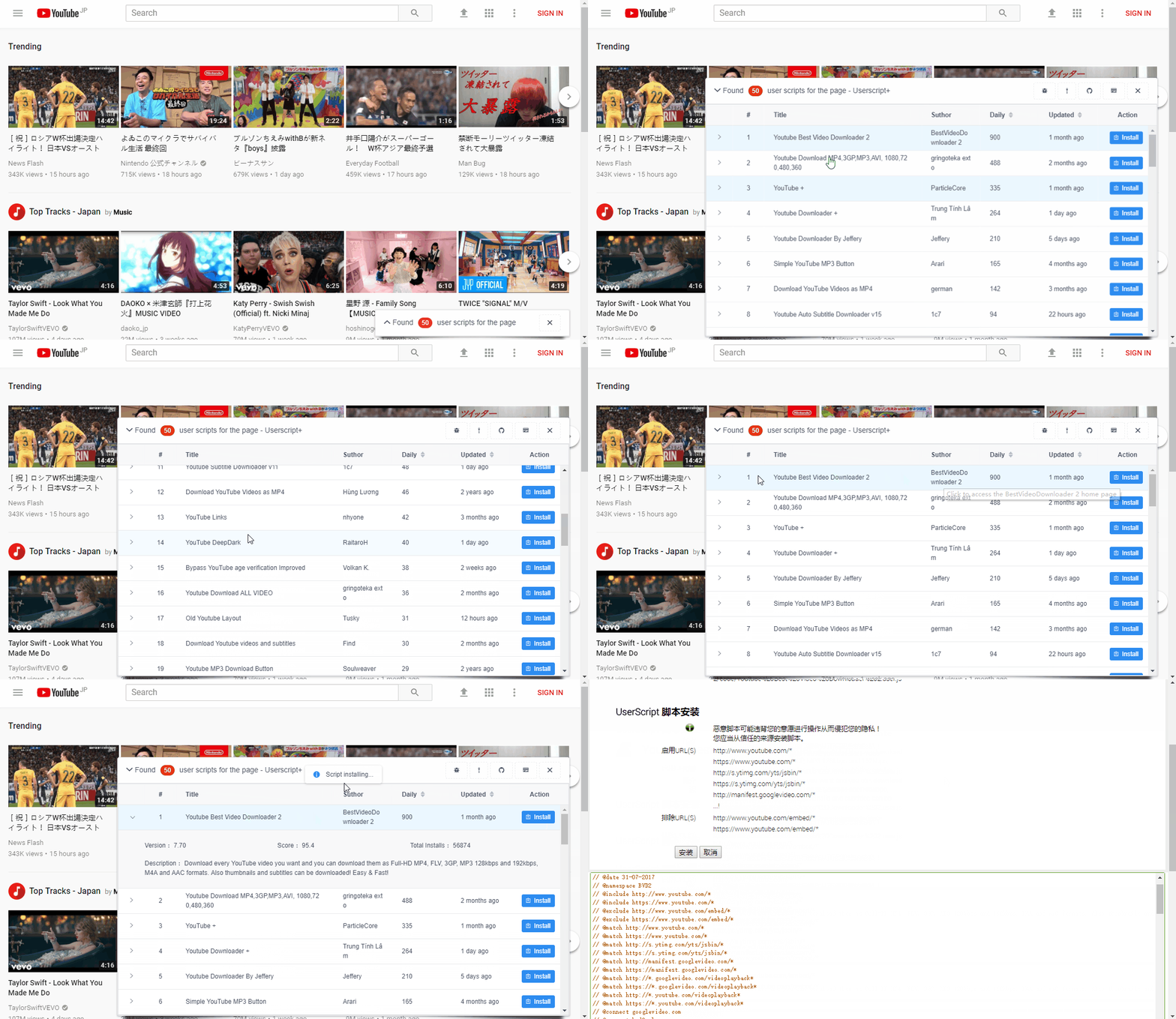
**Userscript +** is a `Tampermonkey` user script, the role is when you browse the web, from the bottom right corner automatically for you to recommend the current page `Tampermonkey` script, and can install a designated script.
Many times, we do not know whether some sites have users to provide the script to optimize the page, but **Userscript+** will be able to help you automatically find the applicable UserJS, and by default, according to the score from high to low order recommended to you, bring you a new `Tampermonkey` use experience!
> [](https://github.com/jae-jae/Userscript-Plus/blob/master/README-ZH.md)
## Installation
1. Install the Chrome/Firefox plugin `Tampermonkey`
Chrome Store: [https://chrome.google.com/webstore/detail/tampermonkey/dhdgffkkebhmkfjojejmpbldmpobfkfo]( https://chrome.google.com/webstore/detail/tampermonkey/dhdgffkkebhmkfjojejmpbldmpobfkfo)
Firefox addons:[https://addons.mozilla.org/en-US/firefox/addon/tampermonkey](https://addons.mozilla.org/en-US/firefox/addon/tampermonkey)
2. Install `Userscript+`
You can install this script via `GreasyFork` or` GitHub`::
- GreasyFork: [https://greasyfork.org/zh-CN/scripts/24508](https://greasyfork.org/zh-CN/scripts/24508-userscript-show-site-all-userjs)
- GitHub: [https://github.com/jae-jae/Userscript-Plus/raw/master/dist/show-site-all-userjs.user.js](https://github.com/jae-jae/Userscript-Plus/raw/master/dist/show-site-all-userjs.user.js)
### Userscript+ Chrome extension
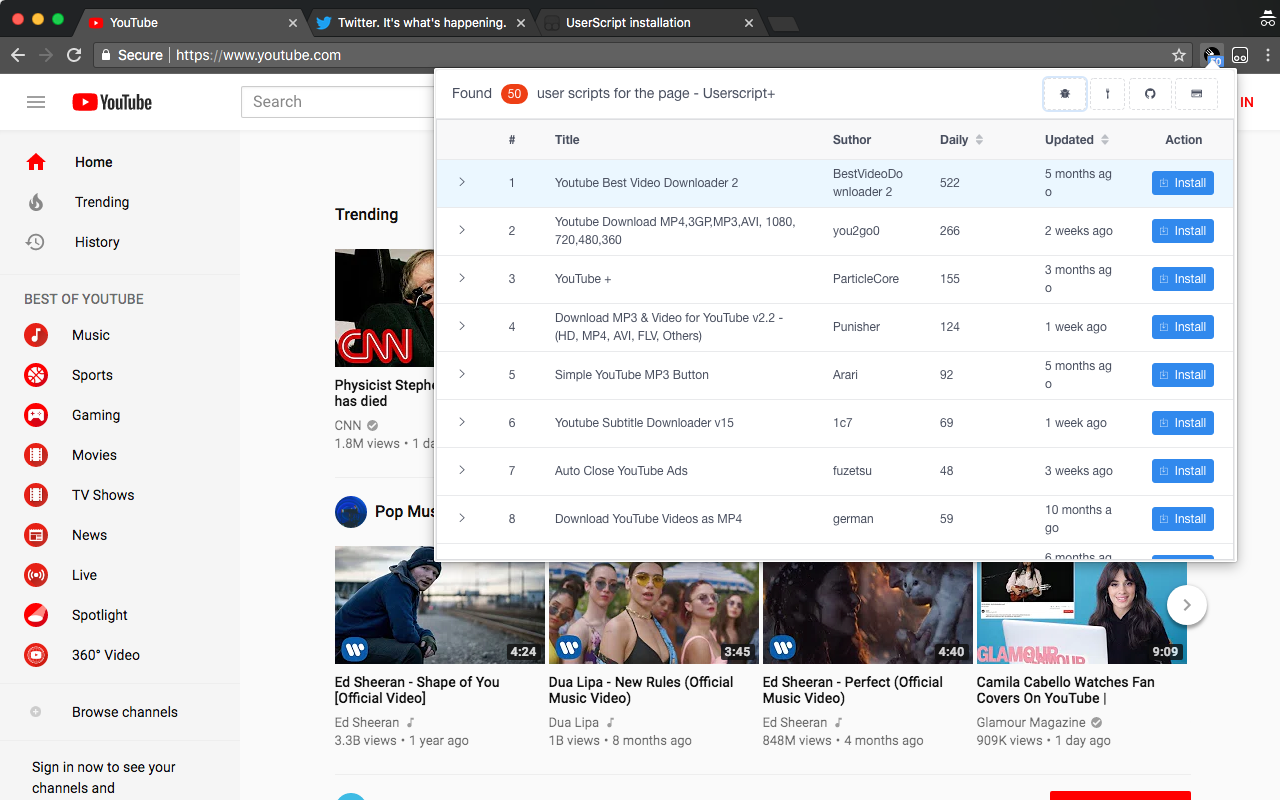
- Chrome webstore:[https://chrome.google.com/webstore/detail/okiocdganiomklllkfkmhneoibegifch](https://chrome.google.com/webstore/detail/okiocdganiomklllkfkmhneoibegifch)
- Github: [https://github.com/jae-jae/Userscript-Plus/raw/master/crx/extension.crx](https://github.com/jae-jae/Userscript-Plus/raw/master/crx/extension.crx)
## Features
- Automatically appear in the lower right corner, recommend scripts for you, and will automatically disappear after 10 seconds
- Filter the top 50 script with the highest score
- The script list supports custom sorting
- Supports one-click installation script
- Support for viewing script details
- Support access to the script home page and author home page
- Click the close button, the current site `this session` all the pages will no longer appear prompt box
- A prompt box is displayed only when found available script for the current site
- i18n international multilingual support.(**[Locale contributions](https://github.com/jae-jae/Userscript-Plus/tree/master/src/common/lang) are welcomed!**)
- Vue + iView UI design smooth and beautiful
## Whitelist and blacklist
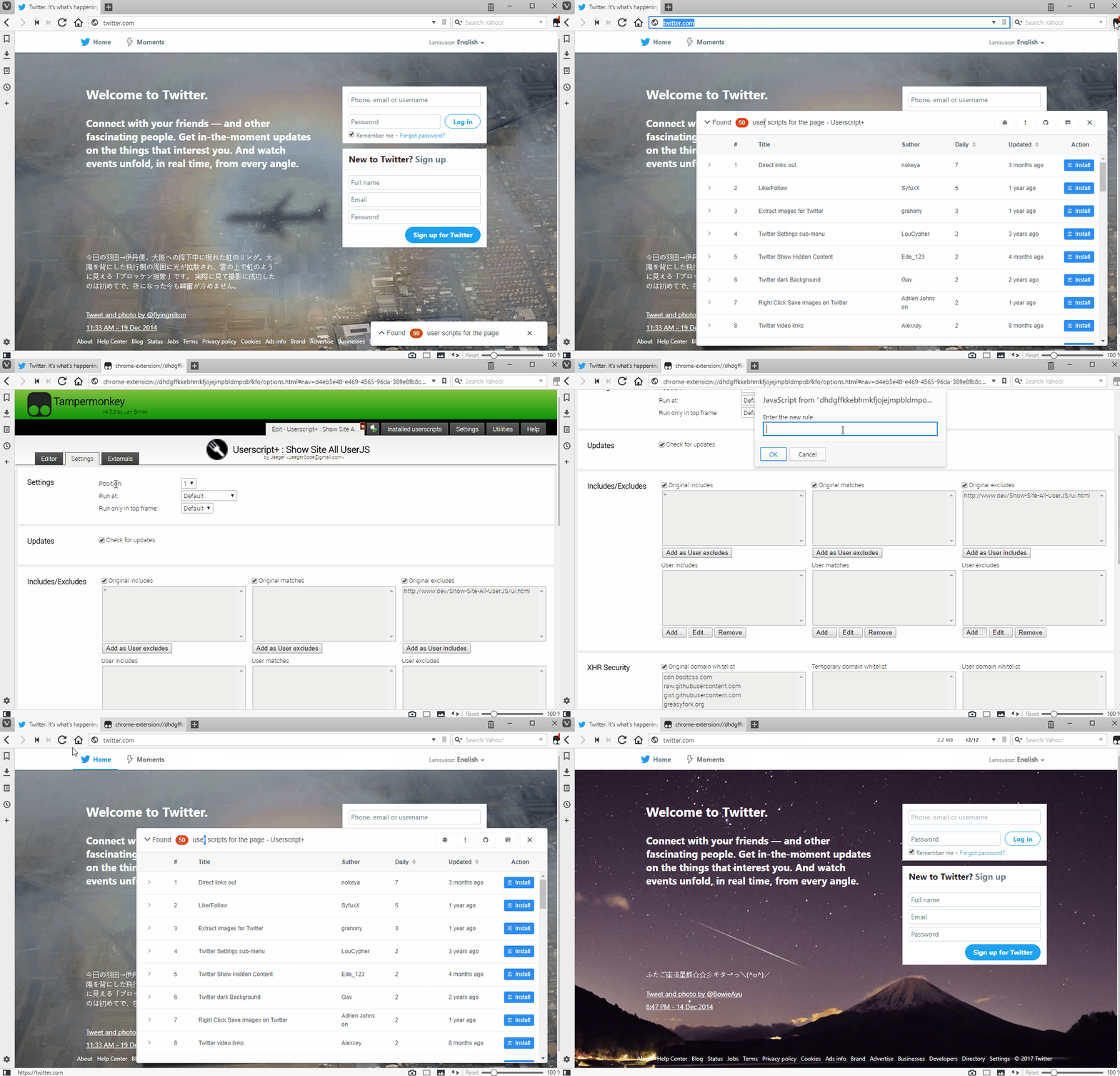
> Edit script => Settings tab => Includes/Excludes
In the `Tampermonkey` to enter the script editing interface, select` Setting `tab, this tab below the` Includes/Excludes `option, set the white list and blacklist here, see Figure:
## Known bug
1. In some sites below the plug-in interface icon is not displayedSuch as:Github
**Reason**This is because the security policy of these sites to prevent the plug-in icon font file loading, resulting in the icon does not display properly.
## Contribute
If you are willing to contribute code to this project, please follow the [standard](https://standardjs.com/) specification.
## License
MIT