allproxy
AllProxy: HTTP MITM Debugging Proxy
MITM debugging proxy with a web GUI to view and modify all of the HTTP and HTTPS (SSL) traffic between your machine and the Internet. Also supports reverse proxy protocols: HTTP, HTTPS, MongoDB, Redis, MySQL and gRPC.
Also imports JSON logs to make them human readable.


![[Alt text]](https://allproxy.github.io/allproxy/image-2.png)
![[Alt text]](https://allproxy.github.io/allproxy/image-1.png)
Install
Options:
- Install NPM package:
npm install -g allproxy
- Run:
allproxyorallproxy_win.bat- Clone repo and run: npm install && npm run build && npm start
- Docker container:
- docker build -t allproxy .
- docker run name allproxy -i -t -v ~/.allproxy:/root/.allproxy -v ~/Downloads:/root/Downloads -p 8888:8888 allproxy
Open
allproxyin browser;
NOTE:
It is recommended that Use hardware acceleration when available is disabled on Chrome.
Electron Application
See the Releases to download an Electron Applications for MacOS, Linux and Windows.
JSON Log Viewer
JSON structured logs can be viewed in a human readable format. See jlogviewer for more details.
HTTPS Proxy
AllProxy is a man-in-the-middle server that captures the traffic between your application and web server. You can inspect the complete HTTP request and response.
 [Alt text]
![[Alt text]](https://allproxy.github.io/allproxy/image-3.png)
Advanced Filtering
Use advanced filter criteria to find what youre looking for. Use complex boolean expressions to match the protocol, payload, URL, headers, and just about any part of the request or response message.
 [Alt text]
![[Alt text]](https://allproxy.github.io/allproxy/image-4.png)
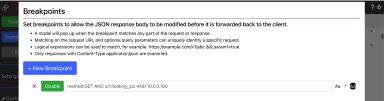
Breakpoints
Set breakpoints to stop the HTTP request and optionally modify it before sending it to the web server.
 [Alt text]
![[Alt text]](https://allproxy.github.io/allproxy/image-8.png)
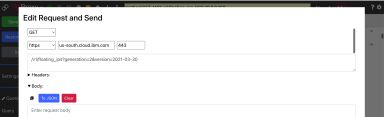
Modify and Resend Requests
Modify and resend any captured HTTP requests.
 [Alt text]
![[Alt text]](https://allproxy.github.io/allproxy/image-5.png)
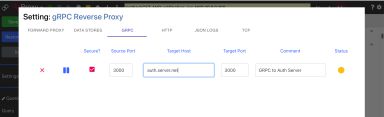
Reverse Proxy
Resource proxy protocols include: MongoDb, Redis, MySQL, qGRPC, HTTP, HTTPS and TCP.
 [Alt text]
![[Alt text]](https://allproxy.github.io/allproxy/image-6.png)
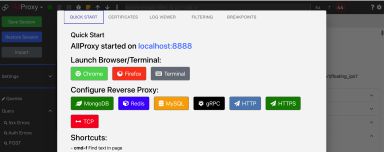
Integrated Online Help
AllProxy has a Help modal to help you configure and use the application.
 [Alt text]
![[Alt text]](https://allproxy.github.io/allproxy/image-7.png)
[image]
[image]
[image]
[image]
 [image]
![[image]](https://img.shields.io/badge/redis-%23DD0031.svg?&style=for-the-badge&logo=redis&logoColor=white)
License
This code is licensed under the MIT License.