Parameters
| Parameter | Description |
|---|---|
| notification | The contents of the notification message. |
| fadeoutWait | The duration the notification is displayed. Measured in seconds. |
Description
Show a notification message.
Displays notification message on the window. Unlike message boxes or log messages notification will fade out automatically after some time.
Call RemoveNotification to remove it immediately.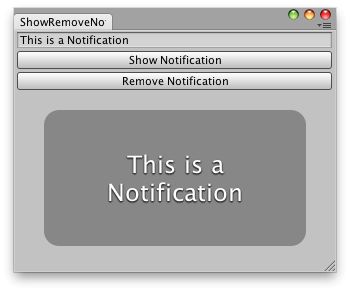 [ShowRemoveNotification.png]
Show a notification in an editor window.
![[ShowRemoveNotification.png]](https://docs.unity3d.com/ScriptReference/../StaticFiles/ScriptRefImages/ShowRemoveNotification.png)
// Simple example that shows a notification message
// that the user has typed.

using UnityEditor;
using UnityEngine;
using UnityEngine.Playables;
using UnityEngine.UIElements;

public class NotificationWindow : EditorWindow
{

    string notification = "This is a notification";

    [MenuItem("Examples/Notification Window")]
    public static void ShowExample()
    {
        NotificationWindow wnd = GetWindow<NotificationWindow>();
        wnd.titleContent = new GUIContent("Notification Window");
    }

    public void CreateGUI()
    {
        // Create button to show notification
        Button showNotification = new Button();
        showNotification.text = "Show!";
        showNotification.clicked += () =>
        {
            this.ShowNotification(new GUIContent(notification));
        };

        rootVisualElement.Add(showNotification);

        // Create button to remove notification
        Button removeNotification = new Button();
        removeNotification.text = "Remove!";
        removeNotification.clicked += () =>
        {
            this.RemoveNotification();
        };

        rootVisualElement.Add(removeNotification);
    }
}