Folders and files
| Name | Name | Last commit date | ||
|---|---|---|---|---|

Get dynamically generated GitHub stats on your READMEs!

View Demo · Report Bug · Request Feature · Ask Question
Français · 简体中文 · Español · Deutsch · 日本語 · Português Brasileiro · Italiano · 한국어 . Nederlands . नेपाली . Türkçe
Love the project? Please consider donating to help it improve!
Are you considering supporting the project by donating? Please DO NOT!!
Instead, Help India fight the second deadly wave of COVID-19. Thousands of people are dying in India because of a lack of Oxygen & also COVID-related infrastructure.
Visit https://indiafightscorona.giveindia.org and make a small donation to help us fight COVID and overcome this crisis. A small donation goes a long way. ❤️
- GitHub Stats Card
- GitHub Extra Pins
- Top Languages Card
- Wakatime Week Stats
- Themes
- Customization
- Deploy Yourself
Copy-paste this into your markdown content, and that is it. Simple!
Change the ?username= value to your GitHub username.
[](https://github.com/anuraghazra/github-readme-stats)Note Available ranks are S+ (top 1%), S (top 25%), A++ (top 45%), A+ (top 60%), and B+ (everyone). The values are calculated by using the cumulative distribution function using commits, contributions, issues, stars, pull requests, followers, and owned repositories. The implementation can be investigated at src/calculateRank.js.
You can pass a query parameter &hide= to hide any specific stats with comma-separated values.
Options: &hide=stars,commits,prs,issues,contribs
You can add the count of all your private contributions to the total commits count by using the query parameter &count_private=true.
Note If you are deploying this project yourself, the private contributions will be counted by default. If you are using the public Vercel instance, you need to choose to share your private contributions.
Options: &count_private=true
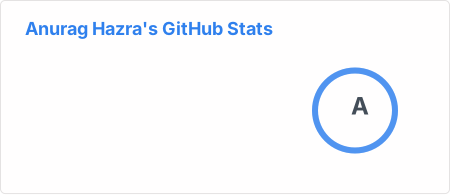To enable icons, you can pass &show_icons=true in the query param, like so:
With inbuilt themes, you can customize the look of the card without doing any manual customization.
Use &theme=THEME_NAME parameter like so :
GitHub readme stats comes with several built-in themes (e.g. dark, radical, merko, gruvbox, tokyonight, onedark, cobalt, synthwave, highcontrast, dracula).
You can look at a preview for all available themes or checkout the theme config file & you can also contribute new themes if you like :D
Since GitHub will re-upload the cards and serve them from their CDN, we can not infer the browser/GitHub theme on the server side. There are, however, four methods you can use to create dynamics themes on the client side.
We have included a transparent theme that has a transparent background. This theme is optimized to look good on GitHub's dark and light default themes. You can enable this theme using the &theme=transparent parameter like so:
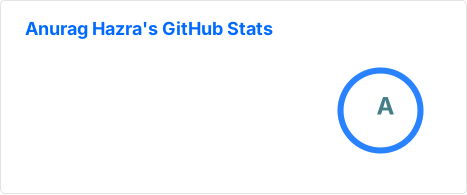You can use the bg_color parameter to make any of the available themes transparent. This is done by setting the bg_color to a colour with a transparent alpha channel (i.e. bg_color=00000000):
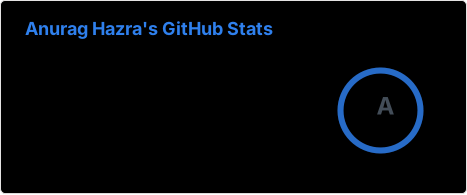You can use GitHub's theme context tags to switch the theme based on the user GitHub theme automatically. This is done by appending #gh-dark-mode-only or #gh-light-mode-only to the end of an image URL. This tag will define whether the image specified in the markdown is only shown to viewers using a light or a dark GitHub theme:
[](https://github.com/anuraghazra/github-readme-stats#gh-dark-mode-only)
[](https://github.com/anuraghazra/github-readme-stats#gh-light-mode-only)
You can use GitHub's new media feature in HTML to specify whether to display images for light or dark themes. This is done using the HTML <picture> element in combination with the prefers-color-scheme media feature.
<picture>
<source
  srcset="https://github-readme-stats.vercel.app/api?username=anuraghazra&show_icons=true&theme=dark"
  media="(prefers-color-scheme: dark)"
/>
<source
  srcset="https://github-readme-stats.vercel.app/api?username=anuraghazra&show_icons=true"
  media="(prefers-color-scheme: light), (prefers-color-scheme: no-preference)"
/>
<img src="https://github-readme-stats.vercel.app/api?username=anuraghazra&show_icons=true" />
</picture>You can customize the appearance of your Stats Card or Repo Card however you wish with URL parameters.
- title_color - Card's title color (hex color). Default: 2f80ed.
- text_color - Body text color (hex color). Default: 434d58.
- icon_color - Icons color if available (hex color). Default: 4c71f2.
- border_color - Card's border color (hex color). Default: e4e2e2 (Does not apply when hide_border is enabled).
- bg_color - Card's background color (hex color) or a gradient in the form of angle,start,end. Default: fffefe
- hide_border - Hides the card's border (boolean). Default: false
- theme - name of the theme, choose from all available themes. Default: default theme.
- cache_seconds - set the cache header manually (min: 14400, max: 86400). Default: 14400 seconds (4 hours).
- locale - set the language in the card (e.g. cn, de, es, etc.). Default: en.
- border_radius - Corner rounding on the card. Default: 4.5.
Warning We use caching to decrease the load on our servers (see anuraghazra#1471 (comment)). Our cards have a default cache of 4 hours (14400 seconds). Also, note that the cache is clamped to a minimum of 4 hours and a maximum of 24 hours.
You can provide multiple comma-separated values in the bg_color option to render a gradient with the following format:
&bg_color=DEG,COLOR1,COLOR2,COLOR3...COLOR10
- hide - Hides the specified items from stats (Comma-separated values). Default: [] (blank array).
- hide_title - (boolean). Default: false.
- card_width - Set the card's width manually (number). Default: 500px (approx.).
- hide_rank - (boolean) hides the rank and automatically resizes the card width. Default: false.
- show_icons - (boolean). Default: false.
- include_all_commits - Count total commits instead of just the current year commits (boolean). Default: false.
- count_private - Count private commits (boolean). Default: false.
- line_height - Sets the line height between text (number). Default: 25.
- exclude_repo - Exclude stars from specified repositories (Comma-separated values). Default: [] (blank array).
- custom_title - Sets a custom title for the card. Default: <username> GitHub Stats.
- text_bold - Use bold text (boolean). Default: true.
- disable_animations - Disables all animations in the card (boolean). Default: false.
- ring_color - Color of the rank circle (hex color). Defaults to the theme ring color if it exists and otherwise the title color.
Note When hide_rank=true, the minimum card width is 270 px + the title length and padding.
- show_owner - Show the repo's owner name (boolean). Default: false.
- hide - Hide the languages specified from the card (Comma-separated values). Default: [] (blank array).
- hide_title - (boolean). Default: false.
- layout - Switch between two available layouts default & compact. Default: default.
- card_width - Set the card's width manually (number). Default 300.
- langs_count - Show more languages on the card, between 1-10 (number). Default 5.
- exclude_repo - Exclude specified repositories (Comma-separated values). Default: [] (blank array).
- custom_title - Sets a custom title for the card (string). Default Most Used Languages.
- disable_animations - Disables all animations in the card (boolean). Default: false.
- hide_progress - It uses the compact layout option, hides percentages, and removes the bars. Default: false.
Warning Language names should be URI-escaped, as specified in Percent Encoding (i.e: c++ should become c%2B%2B, jupyter notebook should become jupyter%20notebook, etc.) You can use urlencoder.org to help you do this automatically.
- hide - Hide the languages specified from the card (Comma-separated values). Default: [] (blank array).
- hide_title - (boolean). Default false.
- line_height - Sets the line height between text (number). Default 25.
- hide_progress - Hides the progress bar and percentage (boolean). Default false.
- custom_title - Sets a custom title for the card (string). Default Wakatime Stats.
- layout - Switch between two available layouts default & compact. Default default.
- langs_count - Limit the number of languages on the card, defaults to all reported languages (number).
- api_domain - Set a custom API domain for the card, e.g. to use services like Hakatime or Wakapi (string). Default Waka API.
- range – Request a range different from your WakaTime default, e.g. last_7_days. See WakaTime API docs for a list of available options. (YYYY-MM, last_7_days, last_30_days, last_6_months, last_year, or all_time). Default all_time.
GitHub extra pins allow you to pin more than six repositories in your profile using a GitHub readme profile.
Yay! You are no longer limited to 6 pinned repositories.
Copy-paste this code into your readme and change the links.
Endpoint: api/pin?username=anuraghazra&repo=github-readme-stats
[](https://github.com/anuraghazra/github-readme-stats)Use show_owner variable to include the repo's owner username
The top languages card shows a GitHub user's most frequently used top language.
Note Top Languages does not indicate my skill level or anything like that; it's a GitHub metric to determine which languages have the most code on GitHub. It is a new feature of github-readme-stats.
Copy-paste this code into your readme and change the links.
Endpoint: api/top-langs?username=anuraghazra
[](https://github.com/anuraghazra/github-readme-stats)You can use the &exclude_repo=repo1,repo2 parameter to exclude individual repositories.
[](https://github.com/anuraghazra/github-readme-stats)You can use &hide=language1,language2 parameter to hide individual languages.
[](https://github.com/anuraghazra/github-readme-stats)You can use the &langs_count= option to increase or decrease the number of languages shown on the card. Valid values are integers between 1 and 10 (inclusive), and the default is 5.
[](https://github.com/anuraghazra/github-readme-stats)You can use the &layout=compact option to change the card design.
[](https://github.com/anuraghazra/github-readme-stats)You can use the &hide_progress=true option to hide the percentages and the progress bars (layout will be automatically set to compact).
[](https://github.com/anuraghazra/github-readme-stats)- Compact layout
- Hidden progress bars
Change the ?username= value to your Wakatime username.
[](https://github.com/anuraghazra/github-readme-stats)Note: Please be aware that we currently only show data from Wakatime profiles that are public.
- Compact layout
- Default
- Hiding specific stats
- Showing icons
- Customize Border Color
- Include All Commits
- Themes
Choose from any of the default themes
- Gradient
- Customizing stats card
- Setting card locale
- Customizing repo card
- Top languages
- WakaTime card
By default, GitHub does not lay out the cards side by side. To do that, you can use this approach:
<a href="https://github.com/anuraghazra/github-readme-stats">
  <img align="center" src="https://github-readme-stats.vercel.app/api/pin/?username=anuraghazra&repo=github-readme-stats" />
</a>
<a href="https://github.com/anuraghazra/convoychat">
  <img align="center" src="https://github-readme-stats.vercel.app/api/pin/?username=anuraghazra&repo=convoychat" />
</a>Warning If you are on the hobby (i.e. free) Vercel plan, please make sure you change the maxDuration parameter in the vercel.json file from 30 to 10 (see #1416 for more information).
Since the GitHub API only allows 5k requests per hour, my https://github-readme-stats.vercel.app/api could possibly hit the rate limiter. If you host it on your own Vercel server, then you do not have to worry about anything. Click on the deploy button to get started!
Note Since #58, we should be able to handle more than 5k requests and have fewer issues with downtime 😁.
- Go to vercel.com.
- Click on Log in.
- Sign in with GitHub by pressing Continue with GitHub.
- Sign in to GitHub and allow access to all repositories if prompted.
- Fork this repo.
- After forking the repo, open the vercel.json file and change the maxDuration field to 10.
- Go back to your Vercel dashboard.
- To import a project, click the Add New... button and select the Project option.
- Click the Continue with GitHub button, search for the required Git Repository and import it by clicking the Import button. Alternatively, you can import a Third-Party Git Repository using the Import Third-Party Git Repository -> link at the bottom of the page.
- Create a personal access token (PAT) here and enable the repo permissions (this allows access to see private repo stats).
- Add the PAT as an environment variable named PAT_1 (as shown).
- Click deploy, and you're good to go. See your domains to use the API!
🛠️ Step-by-step guide for deploying on other platformsWarning This way of using GRS is not officially supported and was added to cater to some particular use cases where Vercel could not be used (e.g. #2341). The support for this method, therefore, is limited.
- Fork or clone this repo as per your needs
- Add express to the dependencies section of package.json https://github.com/anuraghazra/github-readme-stats/blob/ba7c2f8b55eac8452e479c8bd38b044d204d0424/package.json#L54-L61
- Run npm i if needed (initial setup)
- Run node express.js to start the server, or set the entry point to express.js in package.json if you're deploying on a managed service https://github.com/anuraghazra/github-readme-stats/blob/ba7c2f8b55eac8452e479c8bd38b044d204d0424/package.json#L11
- You're done 🎉
You can keep your fork, and thus your private Vercel instance up to date with the upstream using GitHubs' Sync Fork button. You can also use the pull package created by @wei to automate this process.
I open-source almost everything I can and try to reply to everyone needing help using these projects. Obviously, this takes time. You can use this service for free.
However, if you are using this project and are happy with it or just want to encourage me to continue creating stuff, there are a few ways you can do it:
- Giving proper credit when you use github-readme-stats on your readme, linking back to it :D
- Starring and sharing the project 🚀
- You can make one-time donations via PayPal. I'll probably buy a coffee tea. 🍵
Thanks! ❤️

Contributions are welcome! <3
Made with ❤️ and JavaScript.