Folders and files
| Name | Name | Last commit date | ||
|---|---|---|---|---|
Simple and quick step-by-step tutorial guide for Angular application.
Uses docker (>=17.05) container setup for easy development.
Goal: Create the development docker image
- create the docker image as configured in the docker-compose.yml
docker-compose build
- on *nix system, test container can be created correctly
run_docker.sh
Goal: Default angular application using docker
- start docker container
run_docker.sh
- quick check the directory location and ensure it is mapped to local development by running this and checkout the output
/wip# ls -al
- create new application using Angular CLI
select the desired options through the interactive menus
ng new angular --routing true --enableIvy true
- update package.json with these scripts for quick DEV commands
"start:dev": "ng serve --host 0.0.0.0",
- in the container start the Angular application
/wip/angular# npm run start:dev
- check the application on host browser
http://localhost:4200/
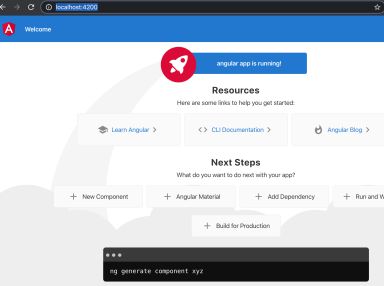

Goal: Create simple homepage UI components: [Home, About]
Refactor the default Angular application into frame and home component. Also create a new about component to allow switching between 2 URLs that maps to the 2 components.
- create a feature module to contain the components
ng generate module homepage --module app --routing true
- create the components
ng generate component homepage/home --module homepage
ng generate component homepage/about --module homepage --style scss
- update the route to show the components ... homepage-routing.module.ts
const routes: Routes = [ { path: 'home', component: HomeComponent }, { path: 'about', component: AboutComponent }, ]; - test the new path, /home and /about
http://localhost:4200/home
http://localhost:4200/about
Goal: Use Angular Material components to build visuals
Refactor the Angular application to import Angular Material library and update the layout / components with Material visaul
- import the Angular Material library
ng add @angular/material
- choose the menu options these options
Indigo/Pink theme
Set up HammerJS for gesture recognition? Yes
Set up browser animations for Angular Material? Yes
- update app.module.ts with the desired Angular Material components
import { MatToolbarModule, MatIconModule, MatCardModule, MatButtonModule, MatProgressSpinnerModule } from '@angular/material'; - update app.module.ts imports array for the NgModule declaration
imports: [ BrowserModule, AppRoutingModule, BrowserAnimationsModule, MatToolbarModule, MatIconModule, MatButtonModule, MatCardModule, MatProgressSpinnerModule ], - update app.component.html with the component elements: toolbar with 2 buttons
<mat-toolbar color="primary">
    <h1>
    The Angular Store
    </h1>
    <button mat-button routerLink="/">Home</button>
    <button mat-button routerLink="/about">About</button>
</mat-toolbar>